Your team just adopted AI coding tools. Developers are generating code faster than ever. But something feels off. Pull requests are piling up with integration bugs. The API endpoint someone built yesterday doesn't match the frontend component someone else built this morning. Two developers both scaffolded different validation logic for the same entity because neither saw the other's work in progress.
Sound familiar? The problem isn't the AI tooling. The problem is how you're slicing your work.
We've been running AI-assisted development workflows at Magnum Code for over a year now, using tools like Claude Code across real client projects. The single biggest improvement to our delivery speed and code quality wasn't a new tool or framework. It was changing how we structure tasks, and how we structure our repositories to support that new way of working.
The examples throughout this article reference a full-stack TypeScript setup -- React on the frontend, a Node.js API layer, PostgreSQL for persistence, and a Turborepo monorepo with shared Zod schemas for validation. The principles apply regardless of your stack, but having a concrete architecture in mind makes the patterns easier to follow.
The Horizontal Trap
Traditional task breakdown follows horizontal layers. A ticket for the backend team says "Create user endpoints." A ticket for the frontend says "Build user management UI." Another for the database team says "Design user schema." Three developers work in parallel, each owning a layer.
This worked well enough when developers wrote every line by hand. You'd build the database schema, hand it to the API developer, who'd hand it to the frontend developer. Sequential, slow, but predictable.
Then AI coding tools entered the picture. Now each developer generates code significantly faster, but the integration surface between layers explodes. The backend developer prompts their AI to build a REST endpoint that returns { firstName, lastName }. The frontend developer's AI generates a component expecting { first_name, last_name }. The database schema uses given_name and family_name. Three perfectly working layers that don't connect.
The more code AI generates per hour, the more expensive these mismatches become. You're not saving time if every sprint ends with two days of integration debugging.
Vertical Slicing Changes Everything
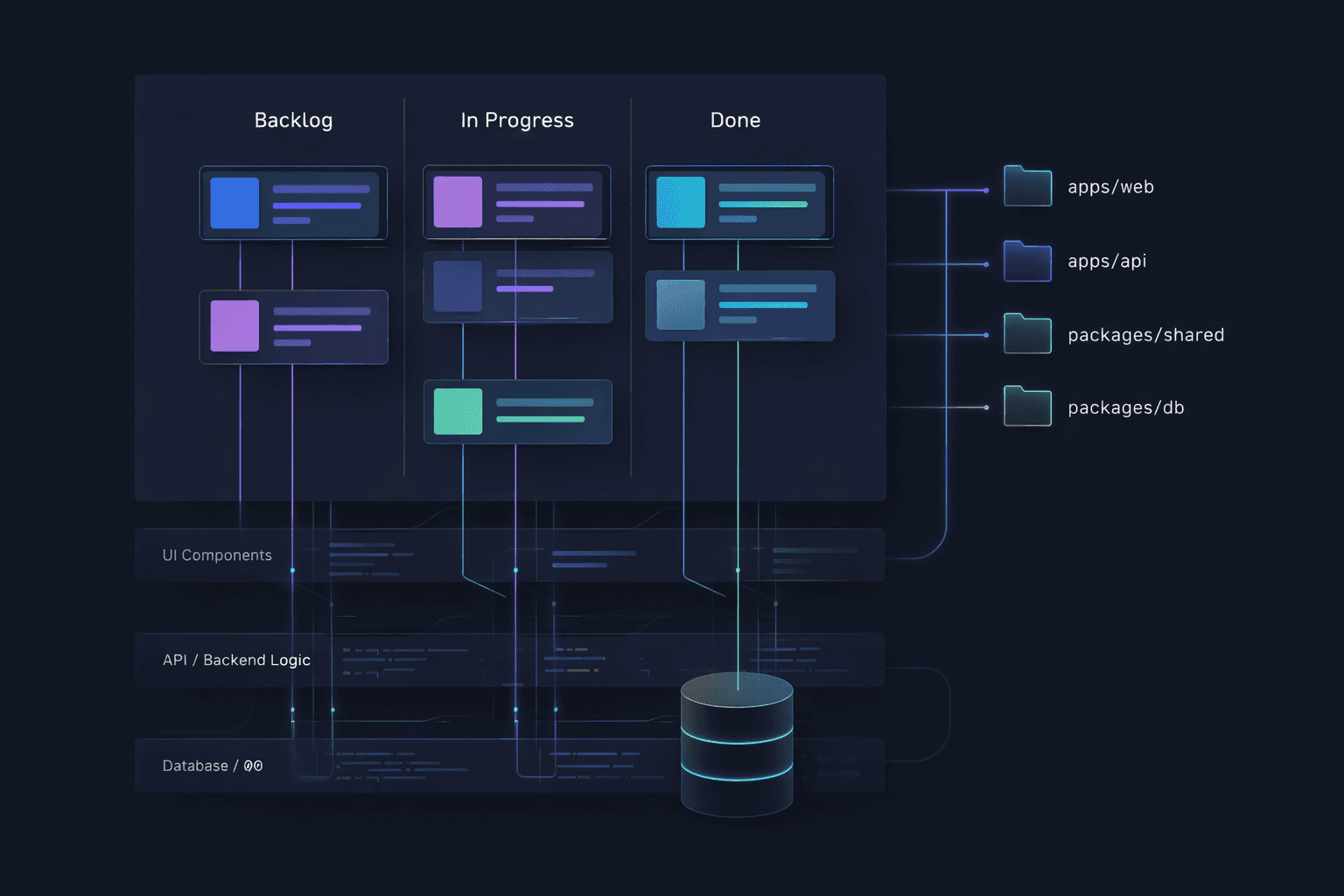
A vertical slice is a thin, complete feature that cuts through every layer of the application. Instead of "build the user API," the task becomes "implement user profile display." That single task includes the database query, the API endpoint, the frontend component, the types shared between them, and even the tests. One developer (with their AI tool) owns the entire path from the button click to the database row and back.
This isn't a new concept. Agile teams have discussed vertical slicing for years. But AI coding tools make it dramatically more effective for a specific reason: context.
When you prompt an AI coding assistant to build a complete vertical feature, it sees the full picture. It generates a PostgreSQL migration, then writes the API handler that queries it, then builds the React component that calls the API. The field names match. The Zod schemas validate consistently on both ends. The error handling flows from database constraints through API responses to user-facing error messages. One context window, one coherent feature.
Compare this to three separate horizontal prompts across three developers. Each AI instance operates with partial context. Each generates reasonable code in isolation. But reasonable code in isolation produces unreasonable bugs at the boundaries.
Monorepos: Giving AI the Full Picture
Repository structure matters more for AI-assisted development than most teams realize. When your frontend lives in one repo, your API in another, and your shared types in a third, each AI session only sees a fragment of the system. The developer has to manually copy type definitions, describe API contracts from memory, or paste code snippets from other repos into the chat. Context is scattered, and scattered context produces scattered code.
Monorepos solve this completely. With a Turborepo or Nx workspace that houses your frontend, backend, shared packages, and infrastructure in a single repository, the AI coding tool can see everything. Ask it to add a new field to a feature and it reads the database schema in packages/db, follows the types through packages/shared, updates the API handler in apps/api, and modifies the React component in apps/web. All from one codebase, one context, one prompt.
We've found this to be one of the highest leverage architectural decisions for AI-assisted teams. When we built our SaaS architecture with a monorepo structure, the payoff extended far beyond traditional benefits like atomic commits and simplified dependency management. It meant every AI session had access to every contract, every type, and every integration point. The AI stopped guessing at interfaces because the interfaces were right there in the workspace.
The monorepo advantage compounds with vertical slicing. A vertical slice that spans
packages/db,packages/shared,apps/api, andapps/webis trivial to implement in a monorepo because the AI tool navigates between these packages the same way it navigates between files. In a multi-repo setup, that same slice requires juggling multiple git repositories, multiple terminal sessions, and multiple AI contexts that can't see each other. The developer becomes the integration layer, manually stitching together what the AI generated in isolation.
Even shared packages like type-safe schemas across a Turborepo workspace become dramatically more useful with AI tools. When the Zod validation schema lives in a shared package, the AI references it directly when building both the API endpoint and the form component. One source of truth, automatically enforced across every layer by an AI that can actually see it.
From Features to Slices: Scoping the Work
The hardest part of vertical slicing is learning to break features down into the right-sized pieces. Too big and you lose the benefits of focused, coherent context. Too small and you drown in overhead. Getting the sizing right is a skill, and it starts with how you think about features.
A feature is a capability that delivers value to users. "User management" is a feature. But it's far too large for a single vertical slice. The first step is identifying the distinct user behaviors within that feature. A user can be created. A user can be listed. A user can be edited. A user can be deactivated. Each of these behaviors is a candidate for a vertical slice.
Not all slices are equal in size, and that's fine. "Create a user with name and email" is smaller than "Edit a user profile with avatar upload and image cropping." The question to ask for each candidate slice is: can one developer, working with an AI tool, complete this in a single focused session -- roughly half a day to a full day? If the answer is yes, it's the right size. If the developer would need to context-switch or come back to it across multiple days, the slice is too thick. Cut it thinner.
What belongs in a single slice
A well-scoped vertical slice includes everything needed to deliver one user-visible behavior. That means the database change (a migration, a new column, a new table), the backend logic (API endpoint, validation, business rules), the frontend change (component, form, page update), the shared types or contracts that connect them, and at least one test that proves the behavior works end-to-end.
If any of these layers are missing, the slice isn't truly vertical. You'll end up with the same integration gaps you were trying to avoid. A "backend-only" slice is just horizontal work wearing a vertical label.
What does not belong in a single slice
Avoid bundling unrelated behaviors just because they touch the same entity. "Create user" and "deactivate user" are different slices even though both modify the users table. They involve different UI flows, different business rules, and different edge cases. Combining them inflates the context the AI needs to manage and increases the chance of the session losing coherence.
Similarly, resist the urge to include "nice to have" polish in the same slice as core functionality. Adding a user is one slice. Adding real-time form validation with debounced email uniqueness checking is a separate slice that builds on the first one. Ship the working feature, then enhance it. This incremental approach also produces cleaner git history, where each commit represents a complete, working state of the application.
Sizing for AI context windows
AI coding tools have context windows. Even the best tools lose coherence when the context grows too large. This is a practical constraint that should influence how you size your slices.
A slice that touches three files across two packages fits comfortably in any modern AI tool's context. A slice that touches fifteen files across five packages will push the limits, and the AI will start forgetting decisions it made at the beginning of the session.
When you notice a slice growing beyond five or six files, look for a natural seam to split it. Often the split follows the UI: one slice for the form submission, another for the confirmation screen, a third for the success email. Each is independently deployable and testable, and each fits cleanly within an AI session's effective context.
Sequencing slices with dependencies
Sometimes slices have natural ordering. You can't build "edit user profile" before "create user" exists, because the edit screen needs a user to edit. Identify these dependencies early and sequence the slices accordingly. The first slice in a sequence often does the heaviest lifting -- creating the table, establishing the API pattern, setting up the shared types -- while subsequent slices move faster because they extend existing patterns rather than establishing new ones.
This is another area where monorepos pay dividends. When the first slice establishes a shared Zod schema in
packages/shared, the second slice imports it directly. There's no npm publish step, no version bump, no waiting for CI to propagate a package update. The AI tool simply references the existing file and extends it.
The Project Management Perspective
From a delivery standpoint, vertical slicing with AI tools produces more predictable outcomes. Each completed slice is a working, deployable feature. There's no "90% done" state where the backend works but the frontend is still being connected. Either the user can edit their bio or they can't. This makes sprint planning straightforward and progress visible to stakeholders.
It also reduces code review friction. A reviewer reads one PR that tells a complete story: "Here's the migration, here's the endpoint, here's the UI, here's the test." Context is self-contained. Compare that to reviewing a backend PR that references a frontend PR that depends on a schema PR. Three reviews with cross-dependencies are slower than one review with a clear narrative.
At Magnum Code, this shift reduced our integration bug rate significantly and made our sprint velocity more predictable. We've written about our broader approach to balancing quality and speed and how clean architecture supports changing requirements. Vertical slicing is the task structure that ties these principles together when AI tools are in the mix.
When Horizontal Slicing Still Makes Sense
Vertical slicing is not a universal rule. Some work is genuinely horizontal. Database migrations that restructure core tables across many features, infrastructure provisioning, CI/CD pipeline changes, shared library upgrades. These affect every feature without belonging to any single one.
The distinction is simple: if the task delivers a visible change to end users, slice it vertically. If it's platform work that enables future features, it's fine to keep it horizontal. Most teams find that roughly 80% of their feature work benefits from vertical slicing, with the remaining 20% being legitimate infrastructure or cross-cutting concerns.
Getting Started
If your team is using AI coding tools with traditional horizontal task breakdowns, try this experiment. Take your next feature and break it down by user behavior, not by layer. Write one ticket per behavior. Make sure each ticket describes the outcome end-to-end, from what the user sees to what gets stored. Assign each to a single developer with their AI tool. If you haven't already, consider moving to a monorepo so the AI can see your entire system in one context.
The shift feels uncomfortable at first, especially for developers who identify strongly with a specific layer. Your "backend developer" might resist owning a React component. But with AI assistance, the barrier to working across layers is lower than it's ever been. The AI handles the syntax and patterns of unfamiliar layers while the developer provides the judgment and architectural decisions.
The teams that adapt their workflow to match their tools will ship faster and with fewer defects. The tools got better. Now the process needs to catch up.
Ready to modernize your development workflow? See how we've applied these principles to build production applications with AI-powered development or get in touch to discuss your project.