Your application works perfectly in development. CI passes, tests are green, the demo went flawlessly. Then you deploy to production and discover that "it works on my machine" doesn't scale to thousands of concurrent users, automatic failover isn't automatic, and your cloud bill just exceeded the entire project budget.
Production infrastructure is a different discipline from application development. The patterns that work for a prototype — single instances, manual deployments, shared credentials — become liabilities at scale. This guide covers the infrastructure decisions that separate hobby projects from production systems: multi-layer redundancy, zero-downtime deployments, defense-in-depth security, and cost optimization that doesn't sacrifice reliability.
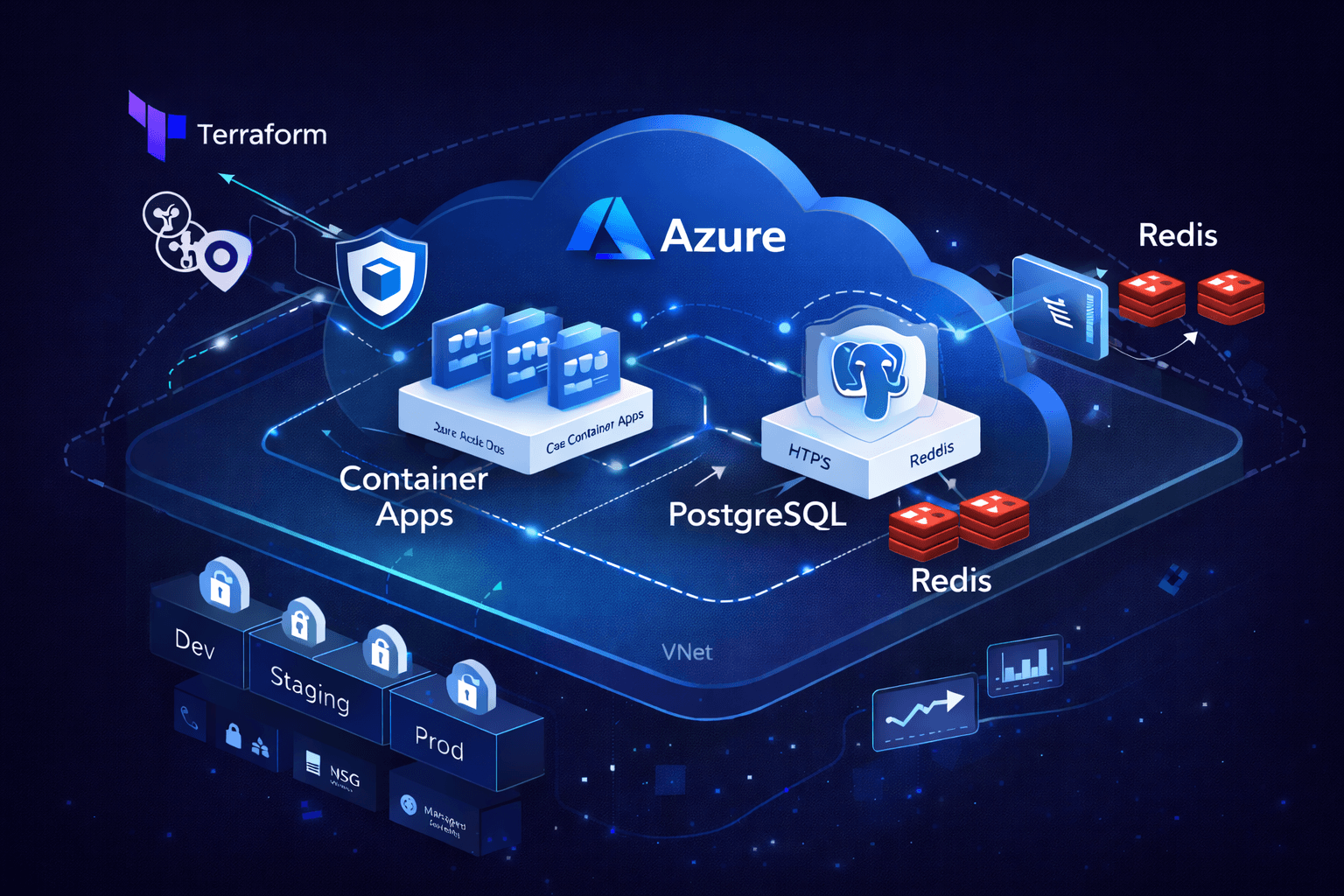
 Production infrastructure architecture diagram showing Azure Container Apps with VNet isolation, PostgreSQL with zone redundancy, Redis failover, and multi-environment CI/CD pipeline
Infrastructure as Code: The Foundation
Every production system starts with a question: can you rebuild this environment from scratch in under an hour? If the answer involves SSH sessions, portal clicking, or "that one config file on the old server," you have a disaster waiting to happen.
Why Terraform
Terraform provides declarative infrastructure that's versioned, reviewed, and reproducible. The same code deploys dev, staging, and production — only the variables change:
# Variables define environment-specific configuration
variable "environment" {
  type        = string
  description = "Environment name (dev, staging, prod)"
}

variable "replica_count" {
  type        = number
  description = "Number of application replicas"
  default     = 1
}

# Resources adapt based on environment
resource "azurerm_container_app" "api" {
  name                = "${var.prefix}-${var.environment}-api"
  resource_group_name = azurerm_resource_group.main.name
  # ... configuration

  template {
    min_replicas = var.environment == "prod" ? 2 : 1
    max_replicas = var.environment == "prod" ? 20 : 3

    container {
      cpu    = var.environment == "prod" ? 1.0 : 0.25
      memory = var.environment == "prod" ? "2Gi" : "0.5Gi"
      # ... container config
    }
  }
}
State Management
Terraform state tracks the real-world resources your code manages. For teams, remote state with locking prevents concurrent modifications:
# backend.tf
terraform {
  backend "azurerm" {
    resource_group_name  = "terraform-state-rg"
    storage_account_name = "tfstateaccount"
    container_name       = "tfstate"
    key                  = "prod.terraform.tfstate"
  }
}
State isolation per environment prevents a dev terraform destroy from touching production. Each environment gets its own state file and, ideally, its own state storage account.
Directory Structure
Organize Terraform for clarity and reuse:
terraform/
├── modules/
│   ├── container-app/      # Reusable container app module
│   ├── database/           # PostgreSQL module
│   ├── networking/         # VNet, subnets, NSG
│   └── monitoring/         # Log Analytics, alerts
├── environments/
│   ├── dev.tfvars
│   ├── staging.tfvars
│   └── prod.tfvars
├── main.tf                 # Root module composition
├── variables.tf            # Input variable definitions
├── outputs.tf              # Exported values
└── providers.tf            # Provider configuration
Reliability Patterns
Production systems fail. Hardware fails, networks partition, deployments go wrong. Reliability engineering assumes failure and designs for graceful degradation.
Zone Redundancy
Azure regions contain multiple availability zones — physically separate datacenters with independent power, cooling, and networking. Zone-redundant deployments survive datacenter-level failures:
# Zone-redundant PostgreSQL
resource "azurerm_postgresql_flexible_server" "main" {
  name                = "${var.prefix}-${var.environment}-postgres"
  resource_group_name = azurerm_resource_group.main.name
  location            = azurerm_resource_group.main.location
  version             = "16"

  sku_name   = var.environment == "prod" ? "GP_Standard_D2s_v3" : "B_Standard_B1ms"
  storage_mb = var.environment == "prod" ? 65536 : 32768

  # Zone redundancy for production
  zone = var.environment == "prod" ? "1" : null

  high_availability {
    mode                      = var.environment == "prod" ? "ZoneRedundant" : "Disabled"
    standby_availability_zone = var.environment == "prod" ? "2" : null
  }

  # Point-in-time recovery
  backup_retention_days = var.environment == "prod" ? 35 : 7
  geo_redundant_backup_enabled = var.environment == "prod"
}
Multi-Replica Deployments
Single instances are single points of failure. Production workloads run multiple replicas behind load balancers:
resource "azurerm_container_app" "web" {
  # ... base configuration

  template {
    # Minimum 2 replicas in production for availability
    min_replicas = var.environment == "prod" ? 2 : 1
    max_replicas = var.environment == "prod" ? 10 : 2

    # Scale based on HTTP requests
    http_scale_rule {
      name                = "http-scaling"
      concurrent_requests = 100
    }

    # Scale based on CPU utilization
    custom_scale_rule {
      name             = "cpu-scaling"
      custom_rule_type = "cpu"
      metadata = {
        type  = "Utilization"
        value = "70"
      }
    }
  }
}
Health Checks and Self-Healing
Container orchestrators restart unhealthy containers automatically — but only if health checks are configured correctly:
resource "azurerm_container_app" "api" {
  template {
    container {
      # Liveness probe: restart if unhealthy
      liveness_probe {
        transport = "HTTP"
        path      = "/health/live"
        port      = 8080

        initial_delay_seconds = 10
        period_seconds        = 30
        failure_count_threshold = 3
      }

      # Readiness probe: remove from load balancer if not ready
      readiness_probe {
        transport = "HTTP"
        path      = "/health/ready"
        port      = 8080

        period_seconds = 10
        failure_count_threshold = 3
      }

      # Startup probe: allow slow startup without killing container
      startup_probe {
        transport = "HTTP"
        path      = "/health/startup"
        port      = 8080

        period_seconds = 10
        failure_count_threshold = 30  # 5 minutes to start
      }
    }
  }
}
The application implements these endpoints with meaningful checks:
// /health/live - Is the process running?
app.get('/health/live', (c) => c.json({ status: 'ok' }));

// /health/ready - Can the process handle requests?
app.get('/health/ready', async (c) => {
	const dbHealthy = await checkDatabase();
	const redisHealthy = await checkRedis();

	if (dbHealthy && redisHealthy) {
		return c.json({ status: 'ready', db: 'ok', redis: 'ok' });
	}

	return c.json({ status: 'not ready', db: dbHealthy, redis: redisHealthy }, 503);
});

// /health/startup - Has initialization completed?
app.get('/health/startup', (c) => {
	if (initializationComplete) {
		return c.json({ status: 'started' });
	}
	return c.json({ status: 'starting' }, 503);
});
Security Architecture
Production security operates on defense-in-depth: multiple independent layers where compromising one doesn't grant access to others.
Network Isolation
VNet integration creates private networks where resources communicate without internet exposure:
# Virtual Network with isolated subnets
resource "azurerm_virtual_network" "main" {
  name                = "${var.prefix}-${var.environment}-vnet"
  resource_group_name = azurerm_resource_group.main.name
  location            = azurerm_resource_group.main.location
  address_space       = ["10.0.0.0/16"]
}

# Container Apps subnet
resource "azurerm_subnet" "container_apps" {
  name                 = "container-apps"
  resource_group_name  = azurerm_resource_group.main.name
  virtual_network_name = azurerm_virtual_network.main.name
  address_prefixes     = ["10.0.1.0/24"]

  delegation {
    name = "container-apps-delegation"
    service_delegation {
      name = "Microsoft.App/environments"
    }
  }
}

# Database subnet - no public access
resource "azurerm_subnet" "database" {
  name                 = "database"
  resource_group_name  = azurerm_resource_group.main.name
  virtual_network_name = azurerm_virtual_network.main.name
  address_prefixes     = ["10.0.2.0/24"]

  delegation {
    name = "postgres-delegation"
    service_delegation {
      name = "Microsoft.DBforPostgreSQL/flexibleServers"
    }
  }
}
Network Security Groups enforce traffic rules at the subnet level:
resource "azurerm_network_security_group" "database" {
  name                = "${var.prefix}-${var.environment}-db-nsg"
  resource_group_name = azurerm_resource_group.main.name
  location            = azurerm_resource_group.main.location

  # Only allow PostgreSQL traffic from container apps subnet
  security_rule {
    name                       = "AllowPostgresFromContainerApps"
    priority                   = 100
    direction                  = "Inbound"
    access                     = "Allow"
    protocol                   = "Tcp"
    source_port_range          = "*"
    destination_port_range     = "5432"
    source_address_prefix      = "10.0.1.0/24"
    destination_address_prefix = "*"
  }

  # Deny all other inbound
  security_rule {
    name                       = "DenyAllInbound"
    priority                   = 1000
    direction                  = "Inbound"
    access                     = "Deny"
    protocol                   = "*"
    source_port_range          = "*"
    destination_port_range     = "*"
    source_address_prefix      = "*"
    destination_address_prefix = "*"
  }
}
Secret Management
Secrets never belong in code, environment files, or CI/CD logs. Azure Key Vault provides centralized secret storage with access auditing:
resource "azurerm_key_vault" "main" {
  name                = "${var.prefix}-${var.environment}-kv"
  resource_group_name = azurerm_resource_group.main.name
  location            = azurerm_resource_group.main.location
  tenant_id           = data.azurerm_client_config.current.tenant_id
  sku_name            = "standard"

  # Purge protection for production
  soft_delete_retention_days = 90
  purge_protection_enabled   = var.environment == "prod"

  # Network restrictions
  network_acls {
    default_action = "Deny"
    bypass         = "AzureServices"
    virtual_network_subnet_ids = [
      azurerm_subnet.container_apps.id
    ]
  }
}

# Container App reads secrets from Key Vault
resource "azurerm_container_app" "api" {
  # ... base configuration

  secret {
    name                = "database-url"
    key_vault_secret_id = azurerm_key_vault_secret.database_url.id
    identity            = azurerm_user_assigned_identity.api.id
  }

  template {
    container {
      env {
        name        = "DATABASE_URL"
        secret_name = "database-url"
      }
    }
  }
}
Identity-Based Authentication
Managed identities eliminate service account credentials entirely. Azure handles authentication between services:
# User-assigned managed identity for the API
resource "azurerm_user_assigned_identity" "api" {
  name                = "${var.prefix}-${var.environment}-api-identity"
  resource_group_name = azurerm_resource_group.main.name
  location            = azurerm_resource_group.main.location
}

# Grant identity access to Key Vault secrets
resource "azurerm_key_vault_access_policy" "api" {
  key_vault_id = azurerm_key_vault.main.id
  tenant_id    = data.azurerm_client_config.current.tenant_id
  object_id    = azurerm_user_assigned_identity.api.principal_id

  secret_permissions = ["Get", "List"]
}

# Assign identity to Container App
resource "azurerm_container_app" "api" {
  identity {
    type         = "UserAssigned"
    identity_ids = [azurerm_user_assigned_identity.api.id]
  }
}
Zero-Downtime Deployments
Deployments shouldn't require maintenance windows. Modern deployment strategies update applications while serving traffic.
Blue-Green with Traffic Splitting
Azure Container Apps supports revision-based deployments with traffic control:
resource "azurerm_container_app" "api" {
  revision_mode = "Multiple"  # Keep multiple revisions active

  ingress {
    external_enabled = true
    target_port      = 8080

    # Gradual traffic migration
    traffic_weight {
      latest_revision = true
      percentage      = 100
    }

    # During rollout, split traffic:
    # traffic_weight {
    #   revision_suffix = "v1"
    #   percentage      = 90
    # }
    # traffic_weight {
    #   revision_suffix = "v2"
    #   percentage      = 10
    # }
  }
}
Database Migrations
Schema changes require careful orchestration. The pattern: deploy code that works with both old and new schemas, migrate data, then deploy code that requires the new schema.
# Migration script runs during container startup
#!/bin/sh
set -e

echo "Running database migrations..."
pnpm drizzle-kit migrate

echo "Starting application..."
exec node dist/index.js
For breaking changes, use expand-contract migrations:
- Expand: Add new column/table alongside old
- Migrate: Copy data, update application to write to both
- Contract: Remove old column/table after all reads use new schema
CI/CD Pipeline Architecture
Automated pipelines eliminate manual deployment errors and enforce quality gates.
GitHub Actions with OIDC
Azure OIDC authentication eliminates stored credentials:
# .github/workflows/deploy.yaml
name: Deploy Infrastructure and Application

on:
    push:
        branches: [main, dev]

permissions:
    id-token: write # Required for OIDC
    contents: read

jobs:
    deploy:
        runs-on: ubuntu-latest
        environment: ${{ github.ref == 'refs/heads/main' && 'production' || 'development' }}

        steps:
            - uses: actions/checkout@v4

            # OIDC authentication - no secrets stored
            - uses: azure/login@v2
              with:
                  client-id: ${{ secrets.AZURE_CLIENT_ID }}
                  tenant-id: ${{ secrets.AZURE_TENANT_ID }}
                  subscription-id: ${{ secrets.AZURE_SUBSCRIPTION_ID }}

            # Terraform deployment
            - uses: hashicorp/setup-terraform@v3

            - name: Terraform Init
              run: terraform init -backend-config="key=${{ vars.ENV }}.tfstate"
              working-directory: terraform

            - name: Terraform Plan
              run: terraform plan -var-file="environments/${{ vars.ENV }}.tfvars" -out=tfplan
              working-directory: terraform

            - name: Terraform Apply
              if: github.ref == 'refs/heads/main' || github.ref == 'refs/heads/dev'
              run: terraform apply -auto-approve tfplan
              working-directory: terraform
Quality Gates
Prevent broken code from reaching production:
jobs:
    quality:
        runs-on: ubuntu-latest
        steps:
            - uses: actions/checkout@v4
            - uses: pnpm/action-setup@v4
            - uses: actions/setup-node@v4
              with:
                  node-version: '22'
                  cache: 'pnpm'

            - run: pnpm install --frozen-lockfile

            # Type checking
            - run: pnpm type-check

            # Linting
            - run: pnpm lint

            # Unit tests with coverage
            - run: pnpm test --coverage
              env:
                  CI: true

            # Security audit
            - run: pnpm audit --audit-level=high

    deploy:
        needs: quality # Only deploy if quality passes
        # ... deployment steps
Cost Optimization
Cloud costs grow linearly with scale — unless you optimize. The goal: pay for what you use, not what you provision.
Right-Sizing Resources
Development doesn't need production capacity:
# environments/dev.tfvars
container_cpu    = 0.25
container_memory = "0.5Gi"
postgres_sku     = "B_Standard_B1ms"
redis_sku        = "Basic"
min_replicas     = 1
max_replicas     = 2

# environments/prod.tfvars
container_cpu    = 1.0
container_memory = "2Gi"
postgres_sku     = "GP_Standard_D2s_v3"
redis_sku        = "Standard"
min_replicas     = 2
max_replicas     = 20
Autoscaling
Scale based on demand, not predictions:
resource "azurerm_container_app" "api" {
  template {
    # Scale to zero during inactivity (non-prod)
    min_replicas = var.environment == "prod" ? 2 : 0
    max_replicas = var.environment == "prod" ? 20 : 3

    # HTTP-based scaling
    http_scale_rule {
      name                = "http-requests"
      concurrent_requests = 100
    }

    # Queue-based scaling for workers
    custom_scale_rule {
      name             = "queue-length"
      custom_rule_type = "azure-servicebus"
      metadata = {
        queueName    = "jobs"
        messageCount = "10"
      }
    }
  }
}
Reserved Capacity
For predictable production workloads, reserved instances offer significant savings over pay-as-you-go pricing. A 1-year reservation typically reduces costs by 30-40% across compute, database, and caching resources. The tradeoff is commitment — you're paying for capacity whether you use it or not. Reserve production workloads with stable, predictable usage patterns. Keep development and staging on pay-as-you-go for flexibility.
Cost Monitoring
Set budgets and alerts before costs spiral:
resource "azurerm_consumption_budget_resource_group" "main" {
  name              = "${var.prefix}-${var.environment}-budget"
  resource_group_id = azurerm_resource_group.main.id
  amount            = var.environment == "prod" ? 2000 : 200
  time_grain        = "Monthly"

  time_period {
    start_date = "2024-01-01T00:00:00Z"
  }

  notification {
    enabled        = true
    threshold      = 80
    operator       = "GreaterThan"
    contact_emails = var.alert_emails
  }

  notification {
    enabled   = true
    threshold = 100
    operator  = "GreaterThan"
    contact_emails = var.alert_emails
  }
}
Observability
You can't fix what you can't see. Production systems require comprehensive monitoring.
Centralized Logging
All application and infrastructure logs flow to Log Analytics:
resource "azurerm_log_analytics_workspace" "main" {
  name                = "${var.prefix}-${var.environment}-logs"
  resource_group_name = azurerm_resource_group.main.name
  location            = azurerm_resource_group.main.location
  sku                 = "PerGB2018"
  retention_in_days   = var.environment == "prod" ? 90 : 30
}

resource "azurerm_container_app_environment" "main" {
  log_analytics_workspace_id = azurerm_log_analytics_workspace.main.id
}
Application Insights
Distributed tracing and application performance monitoring:
resource "azurerm_application_insights" "main" {
  name                = "${var.prefix}-${var.environment}-insights"
  resource_group_name = azurerm_resource_group.main.name
  location            = azurerm_resource_group.main.location
  workspace_id        = azurerm_log_analytics_workspace.main.id
  application_type    = "web"
}

# Inject connection string into containers
resource "azurerm_container_app" "api" {
  template {
    container {
      env {
        name  = "APPLICATIONINSIGHTS_CONNECTION_STRING"
        value = azurerm_application_insights.main.connection_string
      }
    }
  }
}
Alerting
Proactive alerts catch issues before users report them:
resource "azurerm_monitor_metric_alert" "high_error_rate" {
  name                = "${var.prefix}-${var.environment}-high-errors"
  resource_group_name = azurerm_resource_group.main.name
  scopes              = [azurerm_application_insights.main.id]
  severity            = 1

  criteria {
    metric_namespace = "microsoft.insights/components"
    metric_name      = "requests/failed"
    aggregation      = "Count"
    operator         = "GreaterThan"
    threshold        = 10
  }

  window_size = "PT5M"
  frequency   = "PT1M"

  action {
    action_group_id = azurerm_monitor_action_group.alerts.id
  }
}
Key Takeaways
Production infrastructure demands deliberate architecture:
Infrastructure as Codemakes environments reproducible and reviewable- Zone redundancy and multi-replica deployments survive datacenter failures
- Defense-in-depth security layers protect against compromised components
OIDCauthentication eliminates stored credentials in CI/CD- Autoscaling optimizes costs while maintaining performance
- Comprehensive observability enables proactive issue detection
The investment in proper infrastructure pays dividends throughout the application lifecycle. When incidents occur — and they will — the difference between a 5-minute recovery and a 5-hour scramble is preparation.
Ready to build production-grade infrastructure? Check out our architecture consulting services or get in touch to discuss your project.